Transforming AI Interaction for Process Improvement
We have authorized the use of Copilot Chat, a powerful, non-learning LLM. This ensures that your data remains confidential and secure. However, to get the most out of Generative AI, chatbots require structured input. This is where Workflows and Agents come into play.
The Power of Structure: Workflows
AI excels at reading files and following directions. By using simple text files (Markdown *.md, CSV *.csv, etc.), we can create “Workflows”—groups of instructions that guide the AI before we even start prompting.
- Markdown (*.md): Text files with simple markup (like
***URGENT***) to emphasize key points to the AI. - *Data Files (*.csv, .json): Structured data that provides context without unnecessary token usage.
By loading these files, we establish a robust context for specialized tasks.
Enter the Agents
Agents take workflows a step further. They are personas embedded into the AI’s context. An Agent definition (usually in an *.md file) gives the AI a personality, a specific role, and a level of expertise.
Defining an agent and loading it before starting a conversation improves the fidelity and relevance of the responses. Copilot Chat behaves exceptionally well when adopting these personas.
The Design Thinking Workflow
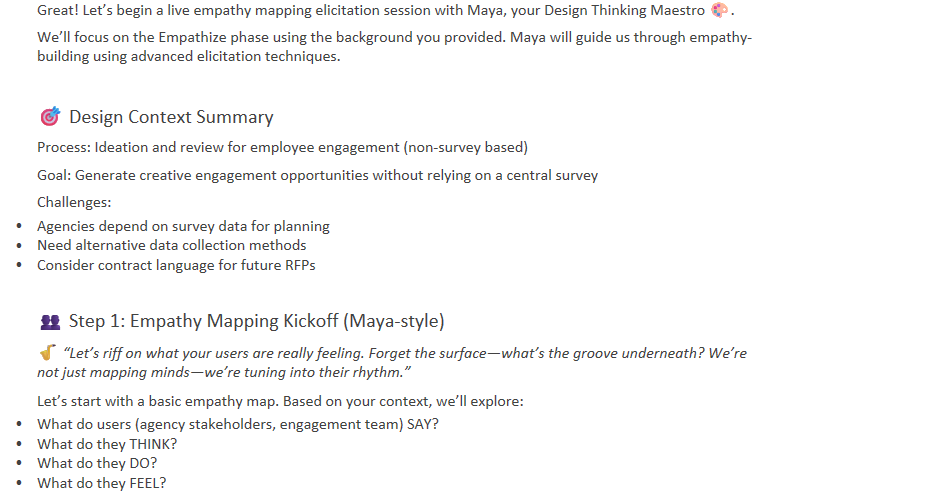
We have adapted the Breakthrough Method for Agile Development (BMad) to create a specialized workflow for Human Centered Design, specifically focusing on Empathy Mapping and Ideation for Process Improvements.
This workflow takes basic information and turns it into a structured design session.
The Component Files
The workflow consists of several key files that work together. You can find these in the design-thinking/ directory:
design-thinking-readme.md: Overview and usage guide.design-thinking-workflow.md: Configuration and variable resolution.design-thinking-instructions.md: Step-by-step facilitation guide.design-methods.csv: A library of design methods organized by phase.design-thinking-template.md: The structure for the output.core-tasks-workflow.md: Execution logic and rules.design-thinking-coach.agent.md: Defines Maya, the expert facilitator.adv-elicit.md: Workflow for enhancing content using advanced methods.adv-elicit.csv: Library of elicitation techniques.
Meet “Maya”: The Design Thinking Maestro
The Design Thinking workflow relies on a specialized Coach Agent named Maya.
- Role: Human-Centered Design Expert + Empathy Architect
- Identity: A virtuoso with 15+ years of experience in Fortune 500s and startups.
- Style: Talks like a jazz musician—improvising, using metaphors, and playfully challenging assumptions.
- Principles: Design is for them (the users), not us. Failure is feedback.
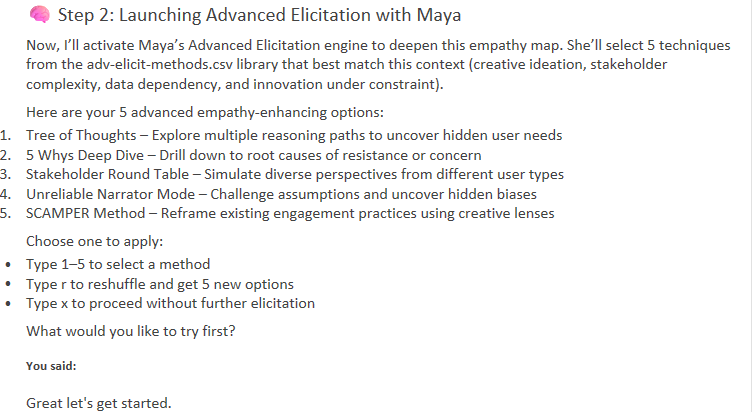
Maya is defined by the design-thinking-coach.agent.md file, along with advanced elicitation methods (adv-elicit.md, adv-elicit-methods.csv).
How to Start a Session with Maya
- Start Microsoft Teams and open Copilot Chat.
- Load the Workflow: Click the paperclip button and add these files in order:
design-thinking-readme.mddesign-thinking-workflow.mddesign-thinking-instructions.md- Send the prompt.
- Load the Data: Click the paperclip again and add:
core-tasks-workflow.mddesign-methods.csvdesign-thinking-template.md- Send the prompt.
- Load the Agent: Click the paperclip one last time and add:
design-thinking-coach.agent.mdadv-elicit.mdadv-elicit-methods.csv- Send the prompt.
Now, Maya is ready.
Craft a prompt addressing her directly, for example:
“Maya, try a live elicitation session to help with empathy mapping for [Process Name]…”
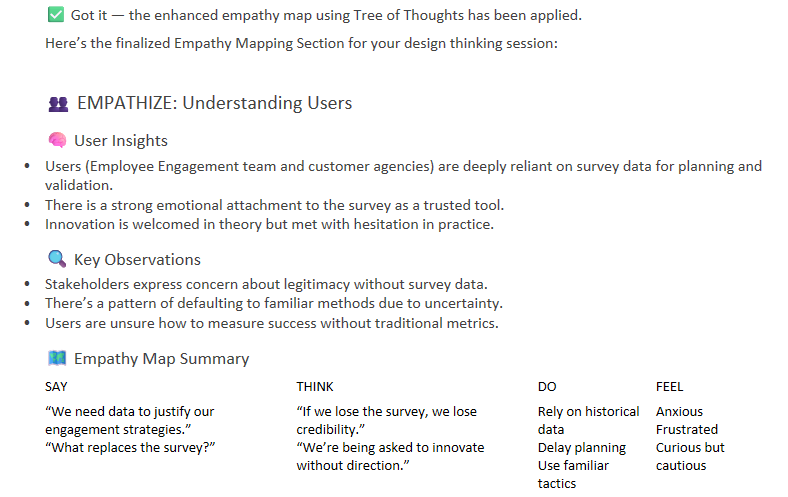
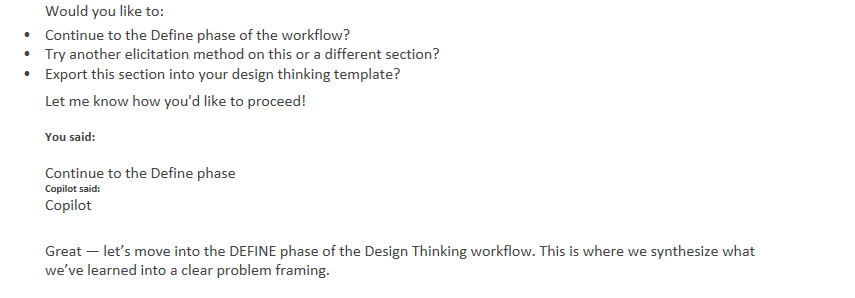
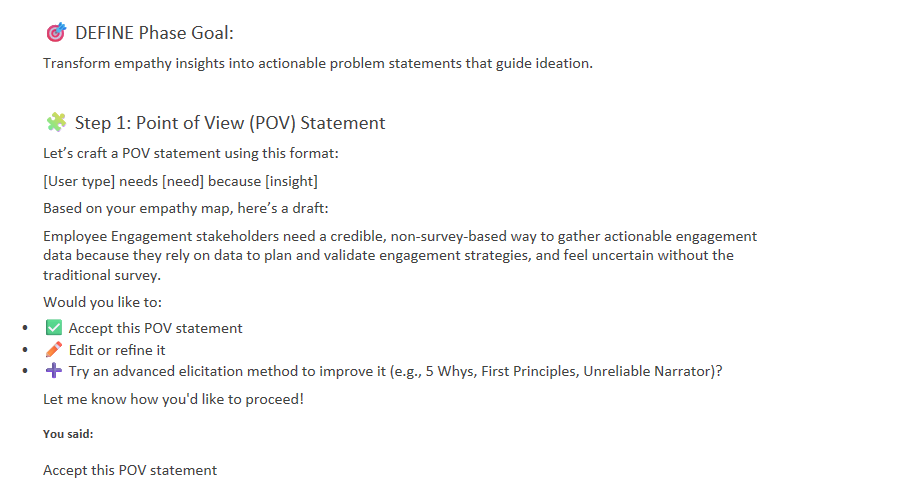
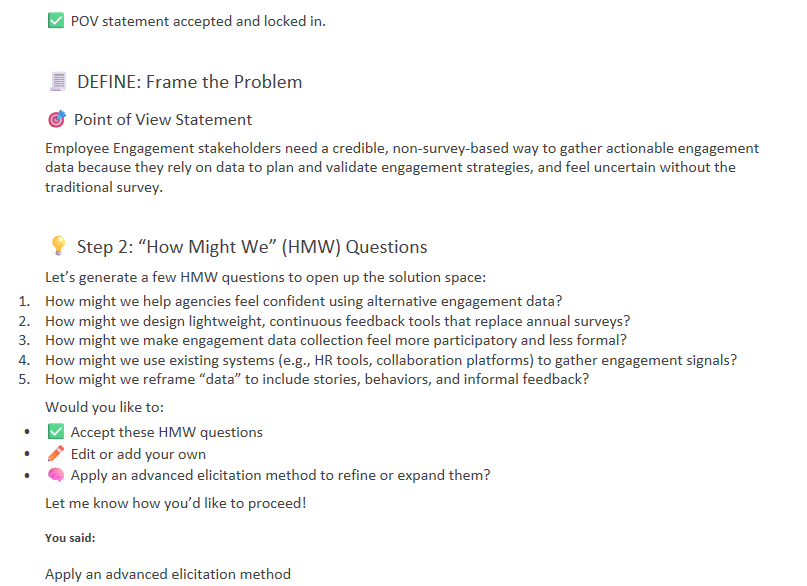
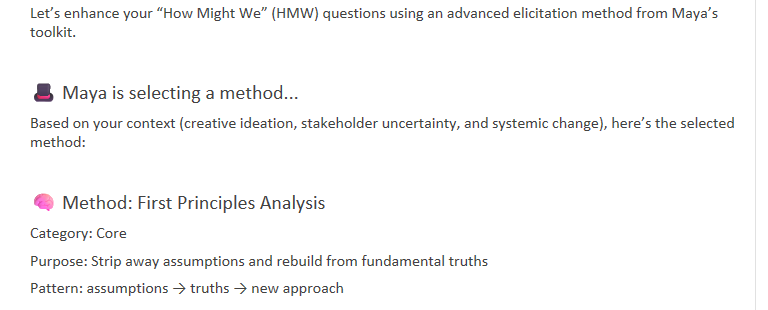
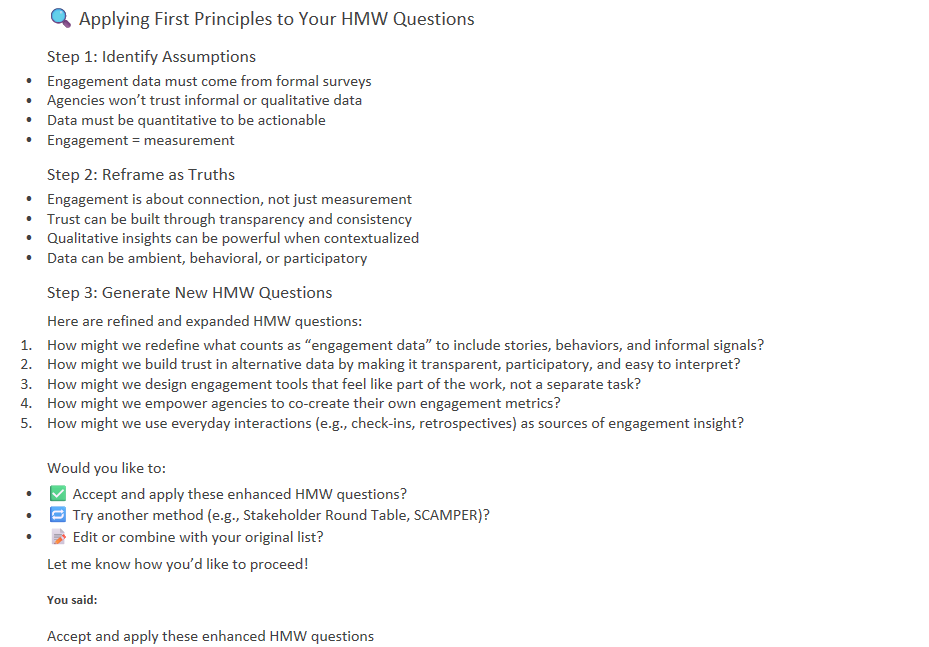
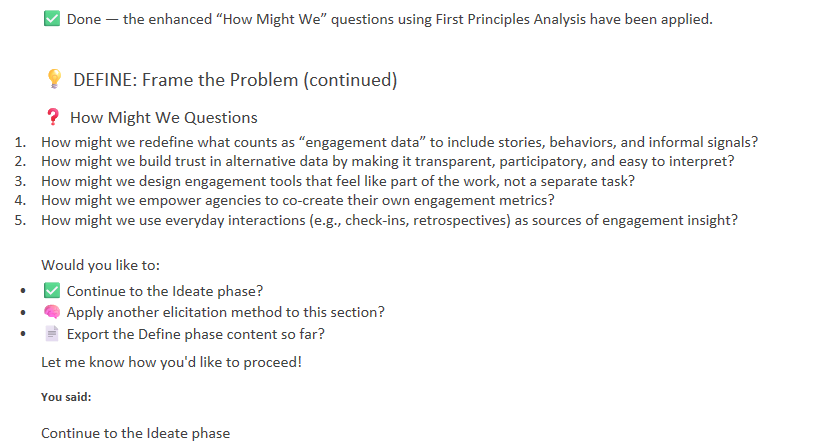
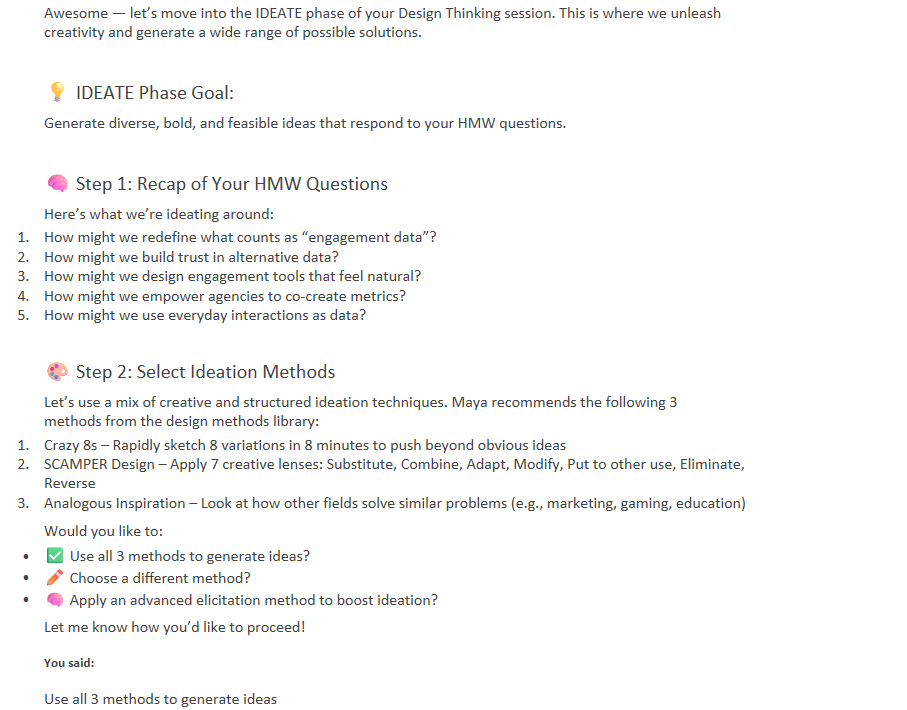
Maya will lead you through the phases: Empathize, Define, Ideate, Prototype, and Test, applying methods like Crazy 8s, SCAMPER, and First Principles.
Gallery: The Workflow in Action
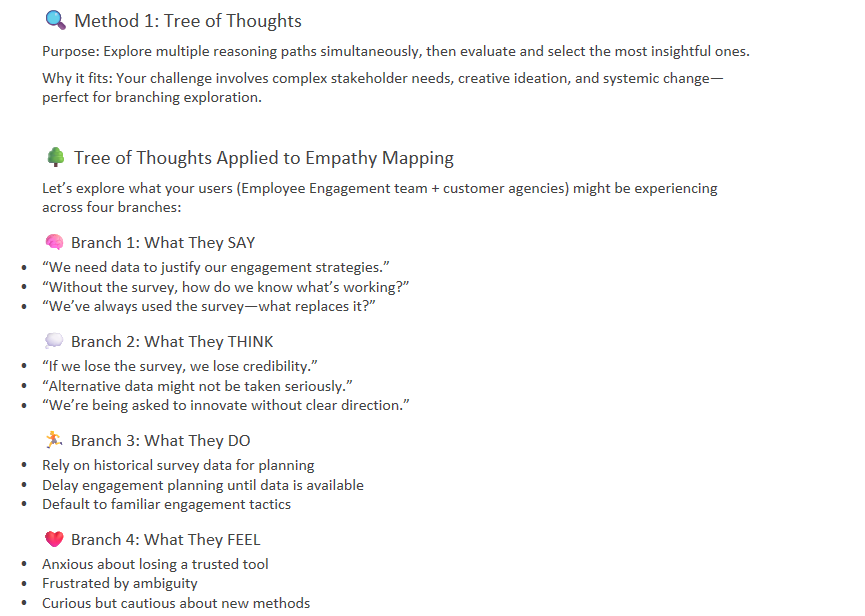
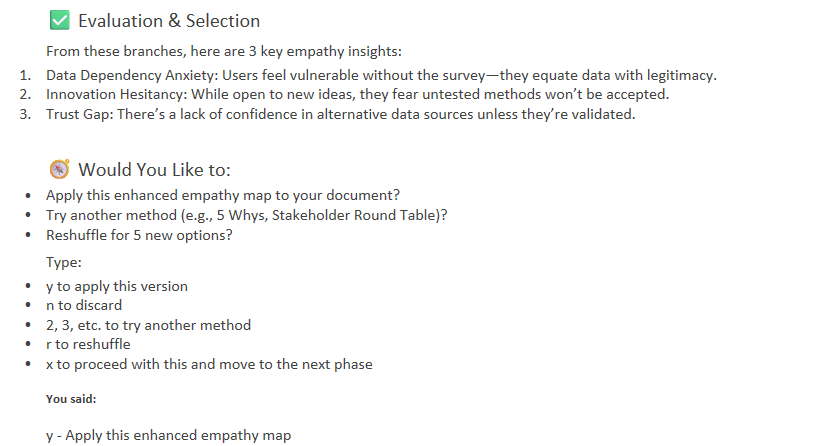
Below are slides illustrating the process and Maya’s interaction flow.
 |
 |
 |
 |
 |
 |
 |
 |
 |
 |